
83 lines
2.2 KiB
Markdown
83 lines
2.2 KiB
Markdown
# tar1090
|
|
|
|
Provides an improved dump1090-fa webinterface
|
|
|
|
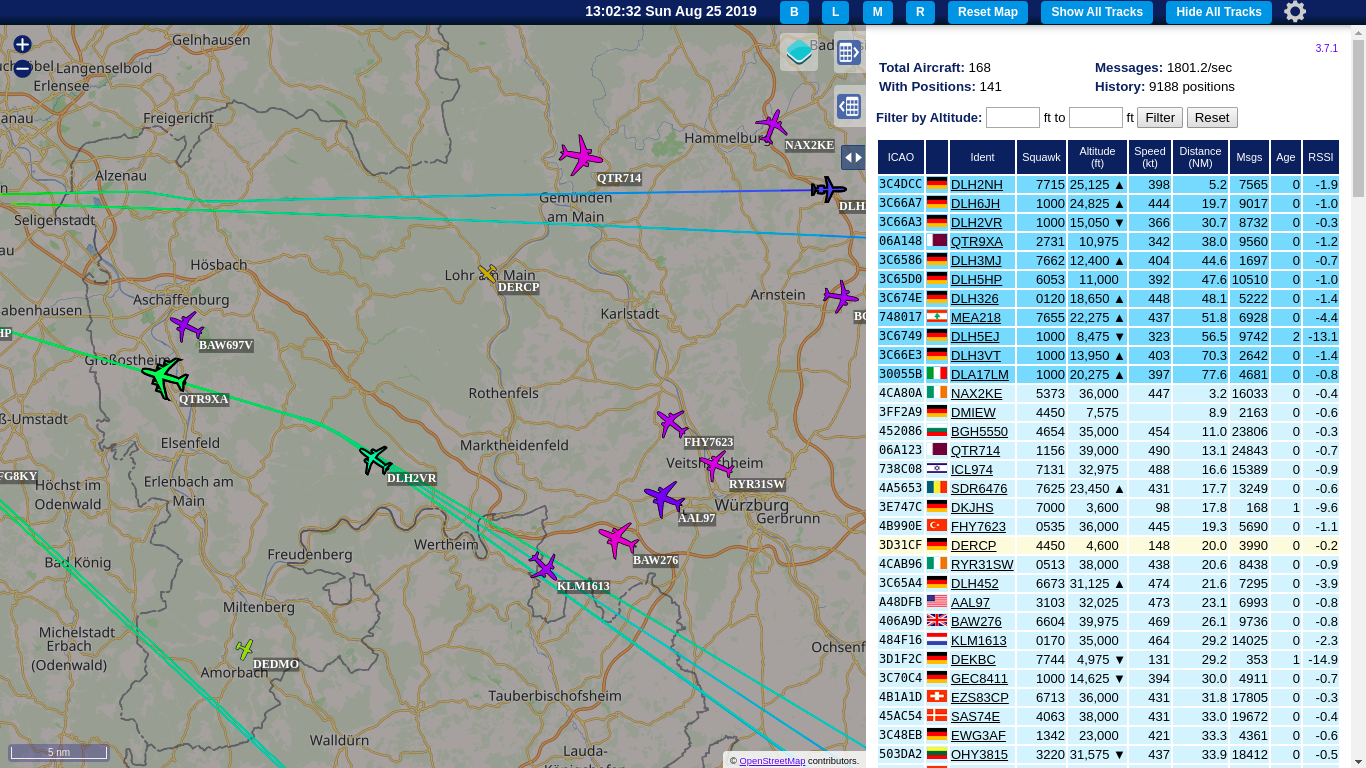
- Improved adjustable history
|
|
- Show All Tracks much faster than original with many planes
|
|
- Multiple Maps available
|
|
- Map can be dimmed/darkened
|
|
- Multiple aircraft can be selected
|
|
- Labels with the callsign can be switched on and off
|
|
|
|
See the bottom of the page for screenshots
|
|
|
|
### Installation / Update:
|
|
|
|
```
|
|
sudo bash -c "$(wget -q -O - https://raw.githubusercontent.com/wiedehopf/tar1090/master/install.sh)"
|
|
```
|
|
|
|
## View the added webinterface
|
|
|
|
Click the following URL and replace the IP address with address of your Raspberry Pi:
|
|
|
|
http://192.168.x.yy/tar1090
|
|
|
|
Check further down or keyboard shortcuts.
|
|
|
|
## Configuration (optional):
|
|
|
|
Edit the configuration file to change the interval in seconds and number of history files saved:
|
|
```
|
|
sudo nano /etc/default/tar1090
|
|
```
|
|
Ctrl-x to exit, y (yes) and enter to save.
|
|
|
|
Apply the configuration:
|
|
```
|
|
sudo systemctl restart tar1090
|
|
```
|
|
|
|
The duration of the history in seconds can be calculated as interval times history_size.
|
|
|
|
## UAT receiver running dump978-fa and skyview978:
|
|
|
|
This is the relevant part in the configuration file:
|
|
```
|
|
# Change to yes to enable UAT/978 display in tar1090
|
|
ENABLE_978=no
|
|
# If running dump978-fa on another computer, modify the IP-address as appropriate.
|
|
URL_978="http://127.0.0.1/skyview978"
|
|
```
|
|
Open and save as described above in the Configuration section.
|
|
Follow the instructions in the file.
|
|
|
|
### Installation / Update to work with another folder, for example /run/combine1090
|
|
|
|
```
|
|
wget -q -O /tmp/install.sh https://raw.githubusercontent.com/wiedehopf/tar1090/master/install.sh
|
|
sudo bash /tmp/install.sh /run/combine1090
|
|
```
|
|
|
|
## Remove / Uninstall
|
|
|
|
```
|
|
sudo bash -c "$(wget -q -O - https://raw.githubusercontent.com/wiedehopf/tar1090/master/uninstall.sh)"
|
|
```
|
|
|
|
## Keyboard Shortcuts
|
|
|
|
|
|
- Q and E zoom out and in.
|
|
- A and D move West and East.
|
|
- W and S move North and South.
|
|
- C or Esc clears the selection.
|
|
- M toggles multiselect.
|
|
- T selects all aircraft
|
|
- B toggle map brightness
|
|
|
|
|
|
## Screenshots
|
|
|
|

|